

Nextflow Basics: Channels
Contents
Notice
This text was originally translated using AI tools.
Introduction#
A Channel is a core concept responsible for the dataflow in Nextflow. It serves as a pathway for transferring data between processes. Since all processes in a Nextflow environment run independently, you can control the sequence of the entire workflow by sending and receiving data through these channels.
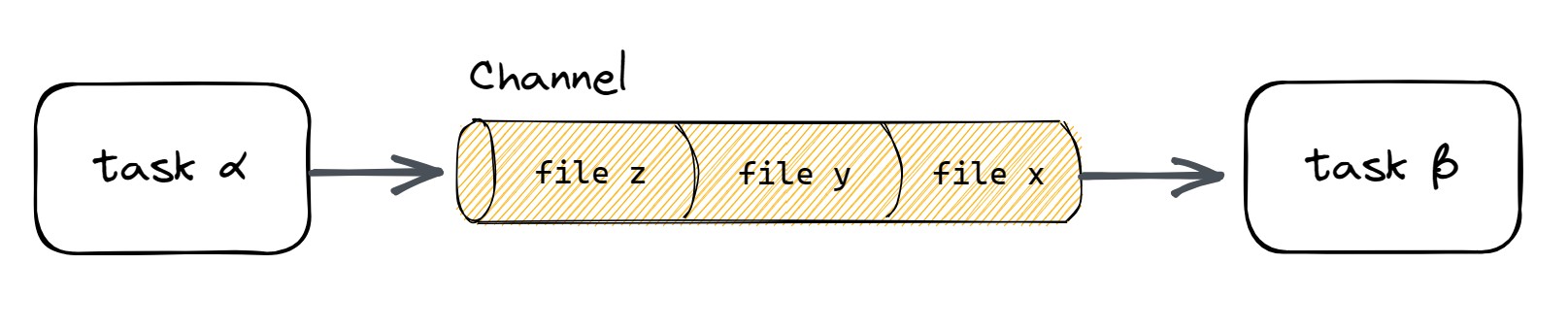 Figure 1. Pathway for delivering data between processes (Source: Nextflow.io)
Key Features#
- Asynchronous Processing: As soon as data enters a channel, the associated process is executed.
- FIFO (First-In, First-Out): By default, the data that enters the channel first is the first to come out.
- One-time use & Reusability: Depending on the type of channel, data can either be consumed once or referenced multiple times.
Types of Channels#
Channels in Nextflow can be largely categorized into Queue Channels and Value Channels.
Queue Channel
- One-time use (1:1 connection)
- Used for delivering file lists or individual sample data
- Data disappears once it is pulled out and used
Value Channel
- Reusable (1:N connection)
- Used for delivering common data such as configuration values
- Maintains the value no matter how many times the process is executed
Creating Channels#
Here is how you can create channels:
Channel.of
Creates a queue channel by listing specific values.
ch = Channel.of( 1, 2, 3 )
ch.view { "Value: $it" }
Channel.fromPath
Creates a channel based on file paths.
// Load fastq files from a specific path into a channel
reads_ch = Channel.fromPath( 'data/samples/*.fastq' )
Channel.value
Creates a value channel that holds a single value and does not disappear even after multiple calls.
ref_ch = Channel.value( 'reference.fasta' )When Are They Used?#
When designing a Nextflow pipeline, deciding "which channel to use" depends on the nature of the data and the method of parallel processing.
-
Using a Queue Channel: When parallel processing is required
If data is divided into independent units (Sample 1, Sample 2...) and each unit needs to be processed simultaneously (in parallel), use a Queue Channel. -
Using a Value Channel: When all processes need to share data
Data that must be applied commonly to all parallel tasks, or data that should not disappear even if tasks are repeated, must be declared as a Value Channel.
However, in actual analysis, most cases involve mixing these two types of channels (Mixing channels).
process ALIGN {
    input:
    path(sample_file) from reads_ch  // Queue: Consumed one by one for each sample
    path(ref_file) from ref_ch       // Value: Shared by all samples (remains available)

    script:
    """
    aligner --input $sample_file --ref $ref_file
    """
}Conclusion#
In the next post, I will examine the other core concept: Processes.