

Next.js Blog (1): Development Setup
Contents
Notice
This text was originally translated using AI tools.
Overview#
I intend to record and share the technical details I learned while building a blog with Next.js, as well as the considerations I had during the configuration process.
Introduction#
To briefly touch upon Next.js, it is a React-based framework that allows
for the creation of web applications through Server-Side Rendering (SSR) and Static Site Generation (SSG).
I understand it is widely used due to its excellent developer experience. I intend to take a deeper interest in it through this blog development project.
Prerequisites#
Before officially creating the project, a few preparations are necessary.
- Installing Node.js
Since Next.js is a JavaScript-based framework, Node.js is essential. If possible, it is recommended to useNVM (Node Version Manager)to easily install and manage Node.js versions. - Package Manager
When you install Node.js,npmis provided by default. However, you may use other package managers such asyarnorpnpm. This post will be based onpnpm.
Project Creation#
Navigate to the directory where you want to create the project in the terminal, then enter the following command.
pnpm create next-appWhen executing the command, several options for Next.js project settings will appear. In my case, I made the following selections:
√ Would you like to use TypeScript? ... No / (Yes)
√ Would you like to use ESLint? ... No / (Yes)
√ Would you like to use Tailwind CSS? ... No / (Yes)
√ Would you like your code inside a `src/` directory? ... No / (Yes)
√ Would you like to use App Router? (recommended) ... (No) / Yes
√ Would you like to use Turbopack for `next dev`? ... No / (Yes)
√ Would you like to customize the import alias (`@/*` by default)? ... No / (Yes)
√ What import alias would you like configured? ... (@/*)
📌 App Router vs Pages Router
There are two page routing methods in Next.js:
- App Router (New method, directory-based)
- Pages Router (Traditional method, file-based)
Since I plan to deploy as a static site, I set it to not use the
App Router.
Project Verification#
After waiting a moment, folders and files with the following structure will be created.
root
├── README.md
├── eslint.config.mjs
├── next-env.d.ts
├── next.config.ts
├── node_modules
├── package.json
├── pnpm-lock.yaml
├── postcss.config.mjs
├── public
├── src
│   ├── pages
│   │   ├── _app.tsx
│   │   ├── _document.tsx
│   │   ├── api            # (Deleted as it is not used in the Pages Router)
│   │   │   └── hello.ts
│   │   └── index.tsx
│   └── styles
│       └── globals.css
└── tsconfig.json
The structure was similar to a typical React project, making it easy to understand.
Additionally, I deleted the api folder as it is reportedly not used in the Pages Router method.
Now, enter the command below to verify that the development server runs correctly:
pnpm run devIf the following message is output in the terminal, you can view the completed initial screen via the specified address:
> next dev --turbopack

   ▲ Next.js 15.3.4 (Turbopack)
   - Local:        http://localhost:3000
   - Network:      [your_network_address]

 ✓ Starting...
 ✓ Ready in 1513ms
Below is the initial screen of the development server running normally:
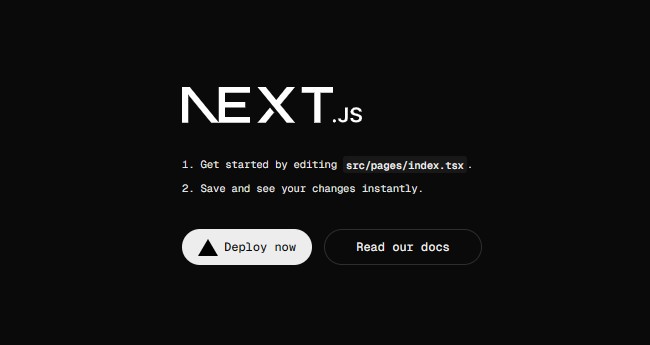 Figure 1. Next.js development server running normally
This concludes the basic project creation and initial execution process. In the next post, I will examine how to configure routing between pages.