

Next.js Blog (2): Implementing Routing
Contents
Notice
This text was originally translated using AI tools.
Introduction#
I would like to examine the routing methods, which were not very difficult. First, there are two main ways to handle routing in Next.js:
- App Router (New method, directory-based)
- Pages Router (Traditional method, file-based)
Since a blog is sufficient with a method that displays static files, the file-based Pages Router is said to be more appropriate.
Pages Router#
When using the Pages Router, the file structure inside the src/pages directory becomes the URL path.
If you create script files as shown below, they are automatically recognized
as routing paths without any additional configuration.
root
└── src
    └── pages
        ├── _app.tsx
        ├── _document.tsx
        ├── index.tsx       # localhost:3001
        ├── home.tsx        # localhost:3001/home
        └── docs
            ├── doc-1.tsx   # localhost:3001/docs/doc-1
            ├── doc-2.tsx   # localhost:3001/docs/doc-2
            └── index.tsx   # localhost:3001/docs
For example, let's assume the content of the src/pages/docs/doc-1.tsx file is as follows:
export default function Doc1() {
	return <div>this is document 1</div>;
}
If you access the URL path directly, you can see that the file content appears correctly as shown below. This means that the page has been mapped solely by the file path without any separate routing configuration:
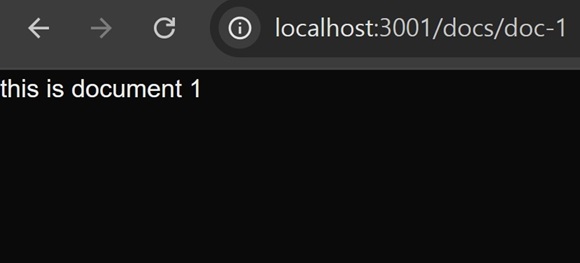 Figure 1. Routing applied successfully
Page Navigation#
While you can use the <a> tag for moving between pages, this causes a refresh, which degrades the user experience.
Therefore, Next.js recommends using the Link component, which supports client-side navigation.
import Link from 'next/link';

export default function Doc1() {
	return (
		<div>
			<span>this is document 1</span>
			{/* Causes a full page refresh */}
			<a href='/home'>link1</a>

			{/* Transitions pages without a refresh */}
			<Link href='/home'>link2</Link>
		</div>
	);
}
By using the Link component, you can provide a better user experience
by transitioning only the necessary parts without reloading the entire page.
Conclusion#
Moving between pages is now possible, but in the current structure,
the content of the posts must be written directly inside the script files (.tsx).
This approach can lead to the problem of repeating similar code for every page. In the next post,
I will look into writing content in markdown files and importing them into scripts to prevent this.